Golf Simulator Projector Image Too Dark? Brighten It
Golf simulator projector image too dark? Fix it with the right lumens, ambient light control, screen gain, bright mode, image size, and lamp maintenance.
A dim simulator image is fixable, and you rarely need to throw out your projector to solve it. The brightness you see depends on six things: projector lumens, ambient room light, screen gain and material, picture mode (eco versus bright), image size and throw distance, and lamp or laser age. Often the fix is free: flip out of eco mode, dim the lights near the screen, and slightly shrink an oversized image. Work through the causes below from easiest to most involved.
Brighter-image shopping list
When free fixes are not enough, a high-lumen short-throw projector and a quality screen deliver the brightness an underpowered setup cannot.
-
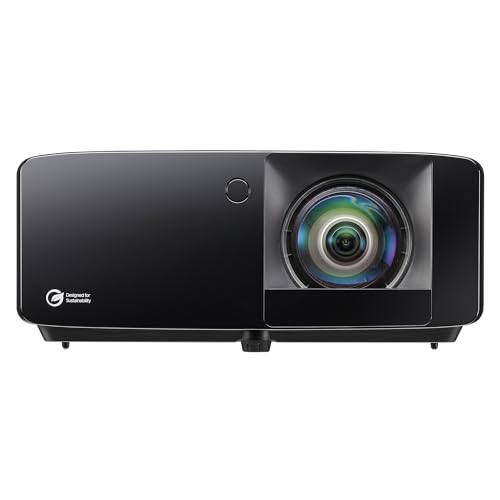 High-lumen projector Optoma GT2400HDR Short Throw Laser Projector
A 4,200-lumen laser with the headroom to light up a full impact screen brightly, the real fix when a dim unit is simply underpowered for your screen size.
-
 Budget bright pick ViewSonic PS502W Short Throw Projector
A bright 4,000-lumen short-throw at a budget price, a brighter-image step up for daytime rooms where lumens matter more than native 1080p.
-
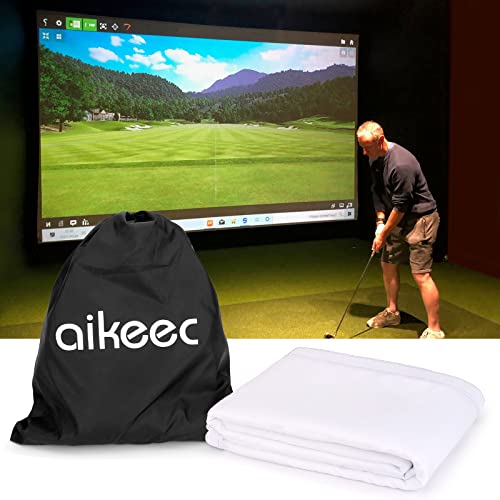 Quality screen aikeec 7mm Thickened Impact Screen with Grommets
A taut, smooth ultra-clear screen reflects more light back to you, so a bright projector finally looks bright instead of muddy on a worn surface.
Prices update on Amazon and change often. As an Amazon Associate we earn from qualifying purchases at no extra cost to you.
Quick wins first
Before you buy anything, try the three changes that cost nothing. First, switch the projector to its bright or normal picture mode instead of eco or cinema. Second, dim or turn off lights near the screen so the image is not competing with room glare. Third, if your image is larger than your screen needs, shrink it slightly so the same light covers less area. Many people find these three steps alone take the picture from washed out to perfectly usable.
1. Lumens: do you have enough light to begin with?
Lumens measure how much light a projector puts out, and a simulator screen is large, so you need a healthy amount. A unit that looks bright on a small wall can look dim stretched across a full impact screen. For a typical screen in a room you can darken, the 2,500 to 3,500 lumen range works for many owners, while big screens or rooms with windows want 3,500 lumens or more. If your projector is well under that and the image is dark even after the quick wins, the unit may simply be underpowered for your screen size. Our roundup of the best golf simulator projectors lists units by brightness so you can match lumens to your space.
2. Ambient light is stealing your contrast
Even a bright projector looks flat when room light hits the screen. Stray light raises the black level, so darks turn gray and the whole image loses punch. Control it with dimmable or zoned lighting, keep direct light, especially from windows or fixtures aimed near the screen, off the surface, and use even side or rear lighting so you can still see your ball and stance. Blackout curtains help in rooms with windows. The darker the area immediately around the screen, the brighter and richer the picture appears, no new hardware required.
3. Screen gain and material
Your impact screen affects perceived brightness because it reflects the projector's light back to you. A screen with higher gain returns more light toward the viewing position and looks brighter, while a heavily textured or low-gain surface can absorb light and appear duller. If your projector is bright enough on paper but the image still looks muddy, the screen may be the limiting factor. A quality impact screen is also tighter and smoother, which sharpens the image. See our picks for the best golf impact screens if you suspect the surface is holding you back.
4. Eco mode versus bright mode
Projectors ship with power-saving modes that dim the lamp or laser to extend its life, and they are a frequent hidden cause of a dark image. Dig into the menu and set the lamp or light source to its full or high-power setting, and choose a bright picture preset rather than eco or cinema. You can still pick a balanced color profile, just avoid the modes that deliberately lower output. The trade is slightly faster lamp wear in exchange for a noticeably brighter, more vivid picture.
5. Image size and throw distance
Brightness and image size pull against each other. The bigger the picture, the more the fixed amount of light spreads out, so perceived brightness falls. If your image overshoots your screen or is simply larger than you need, shrinking it concentrates the light and lifts brightness. Confirm your throw distance matches the projector's intended range too, since being far outside it can hurt both focus and brightness. Model the geometry with our projector throw calculator to find an image size your unit can light up well.
| Cause | Sign | Fix |
|---|---|---|
| Eco mode | Dim even in a dark room | Switch to bright or full-power mode |
| Ambient light | Washed out, gray blacks | Dim and block light near the screen |
| Too few lumens | Dark on a large screen | Use a brighter projector or smaller image |
| Low-gain screen | Bright unit, dull picture | Upgrade to a quality impact screen |
| Oversized image | Dims as image grows | Shrink image, confirm throw distance |
| Aging lamp or dirty filter | Gradually got dimmer | Clean filter, replace lamp if needed |
6. Lamp age and dust
If the picture used to be bright and slowly faded, the cause is likely the light source or cooling. Lamp-based projectors lose output as the bulb ages and can dim further when a clogged dust filter forces the unit to throttle for heat. Clean or replace the filter, ensure airflow around the projector is unobstructed, and consider a fresh lamp on an older bulb unit. Laser projectors fade far more slowly, so persistent dimming on a laser model points back to settings or ambient light instead.
Putting it together
Brighten a dark simulator by stacking fixes: bright mode on, ambient light controlled, image sized to your screen, a higher-gain surface if needed, and a clean, healthy light source. If you have done all of that and the picture is still dim, your projector is genuinely underpowered for the screen, and a brighter unit is the real answer. Compare options in our projector roundup and pair it with one of the best impact screens for the brightest, sharpest result your room can deliver.
Golf Sim Build Planner
Room-fit worksheet, gear checklist, budget tracker, and wiring and lighting plan, in one printable planner that takes your build from idea to first swing.
Frequently Asked Questions
Why is my golf simulator projector image so dark?
A dark image usually comes from too few lumens for your screen size, too much ambient room light, or the projector running in an eco or power-saving mode. Larger images spread the same light over more area, so brightness drops as the picture grows. Start by switching to the brightest picture mode, dimming room lights near the screen, and checking that your projector has enough lumens for the image size you are filling.
How many lumens do I need for a golf simulator?
Brightness needs rise with screen size and room light. For a typical impact screen in a room you can darken, many owners are happy in the 2,500 to 3,500 lumen range, while larger screens or rooms with ambient light want 3,500 lumens or more. Lumens are not the only factor, screen material and throw distance matter too, but a brighter projector gives you headroom to handle a big image and stray light.
Does screen material affect how bright the image looks?
Yes. Impact screen material and its gain influence how much light reflects back to your eyes. A screen with higher gain returns more light toward the viewing position, making the image look brighter, while a low-gain or heavily textured screen can absorb light and look duller. If your projector is adequately bright but the picture still seems flat, the screen surface may be part of the problem alongside lumens and ambient light.
Should I use eco mode or bright mode?
Eco mode dims the lamp or laser to save power and extend lamp life, and it is a common reason an image looks dark. For golf simulator use, switch to the bright, normal, or high-power picture mode so the projector outputs its full lumens. You can still use a balanced color preset, just avoid the eco and cinema modes that intentionally lower brightness. The slightly shorter lamp life is worth a clear, vivid image.
Can throw distance and image size make the picture darker?
Yes. The larger you make the projected image, the more the available light spreads out, so the same projector looks dimmer on a big screen than a small one. If your image is darker than you want, shrinking it slightly raises perceived brightness, as does confirming your throw distance matches the projector's intended range. Use a throw calculator to set an image size your projector can light up well.
Why did my projector get dimmer over time?
Lamp-based projectors lose brightness as the bulb ages, sometimes dropping noticeably after hundreds of hours, and a clogged dust filter can make it worse by causing the unit to throttle output for heat. Laser projectors fade much more slowly. If your once-bright image has gradually dimmed, clean or replace the dust filter, consider a fresh lamp if it is a bulb unit, and make sure airflow around the projector is not blocked.
Building a golf sim?
Use our free calculators and guides to size the room, the gear, and the budget.
Build Planner: $39