Golf Simulator Computer Requirements 2026: Exact Specs for GSPro & E6
Golf simulator computer requirements explained: the GPU that matters most, CPU and RAM for GSPro and E6 at 1080p and 4K, laptop vs mini PC vs desktop, and projector ports.
The short answer to golf simulator computer requirements: the graphics card matters most, the processor and memory come second, and the resolution you want to project decides how much of each you need. Simulator platforms like GSPro and E6 Connect render full 3D golf courses in real time, and that rendering load lands almost entirely on the GPU. Get the graphics right and a mid-range modern system runs beautiful, smooth golf. This guide breaks down the GPU, CPU, RAM, and ports you need at 1080p and 4K, and helps you choose between a laptop, a mini PC, and a desktop.
Computer shopping list
A gaming laptop or a mini PC with a real dedicated GPU, plus a long HDMI cable to the projector.
-
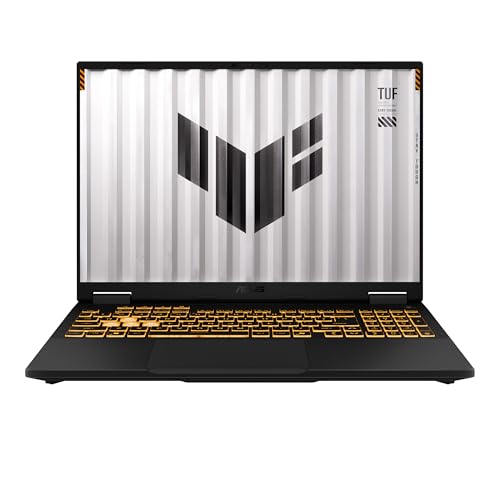 Gaming laptop ASUS TUF Gaming F16 (RTX 5050, 16GB)
A durable 16-inch laptop with a dedicated RTX 5050 and 16GB DDR5, an easy-to-move pick that runs GSPro and E6 smoothly at 1080p.
-
 Mini gaming PC MINISFORUM G1 Pro Gaming Mini PC (RTX 5060, Ryzen 9)
A compact desktop with a real RTX 5060 GPU and 32GB DDR5 that tucks behind the screen for a permanent built-in bay.
-
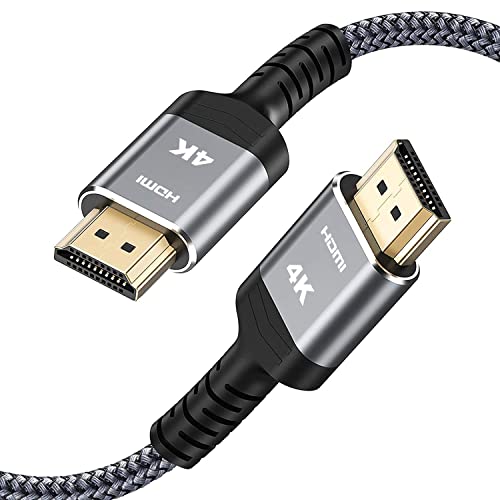 Projector cable Highwings 25 ft High-Speed 4K HDMI Cable
A braided 18Gbps cable long enough to run a ceiling-mounted projector back to the computer at the hitting area.
Prices update on Amazon and change often. As an Amazon Associate we earn from qualifying purchases at no extra cost to you.
The GPU is the key part
If you remember one thing, remember this: the graphics card is the engine of a golf simulator computer. GSPro in particular is known for detailed, realistic course rendering, and E6 Connect's polished environments lean on the GPU just as hard. The card draws every blade of grass, shadow, and water reflection many times per second, and a stronger GPU means higher detail and smoother, more consistent frame rates.
A modern dedicated graphics card in the mid-range tier is the practical entry point for smooth play, and stepping up the GPU is where extra budget pays off most. Integrated graphics, the kind built into many laptops and budget mini PCs, generally struggle with these titles at anything but low settings, so a real dedicated card is the dividing line between a sim that looks great and one that stutters. Whatever else you do, do not skimp here.
CPU, RAM, and storage
The rest of the system supports the GPU rather than carrying the load, but it still needs to keep up.
- Processor: A current six-core or better CPU comfortably feeds the graphics card and handles the physics and launch monitor data. You do not need a top-tier chip; a balanced modern processor pairs well with a strong GPU without bottlenecking it.
- Memory: 16 GB of RAM is the comfortable baseline for GSPro and E6 Connect. Stepping to 32 GB adds headroom at 4K or if you run other software alongside the sim, but 16 GB suits most 1080p bays.
- Storage: Use a solid-state drive. Courses and the software load far faster from an SSD than a spinning hard drive, and the difference is obvious every time you switch courses. Leave room for course libraries, which can grow large.
Balance is the theme. Pairing a powerful GPU with a weak processor or too little memory wastes the graphics card, while an expensive CPU next to a modest GPU spends money where the sim cannot use it. Aim the budget at the graphics card first, then round out CPU, RAM, and an SSD to match.
What runs GSPro and E6 at 1080p vs 4K
Your target resolution, set by your projector or display, is the biggest driver of how much hardware you need. Most home bays project at 1080p, which is far easier to drive than 4K.
| Resolution | Graphics card | CPU / RAM | Storage |
|---|---|---|---|
| 1080p (most bays) | Modern mid-range dedicated GPU | Current 6-core CPU / 16 GB RAM | SSD |
| 4K (sharper, more demanding) | Higher-tier modern dedicated GPU | Current 6 to 8-core CPU / 16 to 32 GB RAM | Fast SSD |
At 1080p, a mid-range modern graphics card with a six-core processor and 16 GB of RAM runs GSPro and E6 Connect smoothly with good detail, and it is the sweet spot for most home setups. Pushing to 4K roughly multiplies the pixels the GPU must draw, so you want a higher-tier card and ideally a bit more CPU and memory. Only go 4K if your projector genuinely accepts and benefits from it, since on a typical impact screen at normal viewing distance, well-driven 1080p already looks excellent. Curious how the two platforms compare? See our GSPro vs E6 Connect breakdown and the roundup of the best golf simulator software.
Laptop vs mini PC vs desktop
The same specs can come in three very different boxes, and the right form factor depends on your space, budget, and appetite for future upgrades.
Desktop
A desktop tower gives the most performance per dollar, runs cooler and quieter under load, and is the easiest to upgrade later when you want a stronger graphics card. The downside is footprint: it needs a spot near the bay. For a permanent setup where value and longevity matter, a desktop is usually the smart pick.
Mini PC
A small-form-factor mini PC tucks neatly behind the screen or on a shelf and can run sim software well, but only if it has a dedicated graphics card. Many mini PCs ship with integrated graphics that fall short for GSPro and E6 at higher settings, so read the specs carefully and choose a model with a real GPU. Done right, a mini PC is a tidy, space-saving option.
Laptop
A gaming laptop with a dedicated graphics card runs the software well and is easy to move or stow when the bay is shared space. Expect to pay more for equal performance versus a desktop, plan for more fan noise and heat in an enclosed area, and accept limited upgrade paths. Portability is the win. If the computer needs to leave the room sometimes, a laptop makes sense.
For specific picks across all three styles, see the best golf simulator computers.
Ports and connecting the projector
A capable computer still needs the right outputs to feed your bay. Before you buy, check the back of the machine.
- Video out to the projector: You need an HDMI output, or a DisplayPort you can adapt to HDMI, that matches your projector's input. Confirm the port version supports your target resolution and refresh rate, since older HDMI revisions can cap higher resolutions.
- USB for the launch monitor and accessories: Leave free USB ports for a wired launch monitor connection, a mouse or controller, and any other accessories. A short USB hub helps if ports are scarce.
- Cable length: A ceiling-mounted projector can sit 15 feet or more from the computer, so use a high-quality or active HDMI cable for long runs to avoid signal dropouts.
Mismatched or insufficient ports are an easy oversight that stalls a build on setup day, so verify the outputs against your projector and launch monitor before you order.
Putting it together
- Spend on the GPU first; it drives smooth, detailed GSPro and E6 visuals.
- Pair it with a current six-core CPU, 16 GB of RAM, and an SSD for 1080p.
- Step up the GPU, and add CPU and RAM, only if you truly run 4K.
- Pick a desktop for value, a mini PC for space, or a laptop for portability, always with a dedicated graphics card.
- Confirm an HDMI or DisplayPort output for the projector and free USB ports for the monitor.
Build around the graphics card, match the rest to your resolution, and your computer will run smooth, sharp golf for years. From here, compare the platforms in GSPro vs E6 Connect, browse the best golf simulator software, and shop ready-to-go machines in the best golf simulator computers.
Golf Sim Build Planner
Room-fit worksheet, gear checklist, budget tracker, and wiring and lighting plan, in one printable planner that takes your build from idea to first swing.
Frequently Asked Questions
What is the most important part of a golf simulator computer?
The graphics card. Simulator software like GSPro and E6 Connect renders detailed 3D courses in real time, and the GPU does that work. A strong graphics card is the single biggest factor in smooth, sharp visuals, while the processor, memory, and storage matter less by comparison. If you spend your budget anywhere, spend it on the GPU. A modern mid-range or better card transforms the experience far more than a faster CPU or extra RAM.
What specs run GSPro smoothly at 1080p?
For smooth 1080p play, a modern dedicated graphics card in the mid-range tier, a current six-core or better processor, and 16 GB of RAM cover GSPro and E6 Connect comfortably with good frame rates and detail. Add a solid-state drive so courses load quickly. This is the practical sweet spot for most home bays projecting at 1080p, delivering crisp visuals without overspending on hardware you will not use at that resolution.
What do I need for 4K golf simulator visuals?
Driving a sharp 4K image asks much more of the graphics card. Plan on a higher-tier modern GPU, a current six or eight-core processor, 16 to 32 GB of RAM, and a fast solid-state drive. The CPU and memory help, but the GPU does the heavy lifting at 4K, so prioritize it. Also confirm your projector or display actually accepts a 4K signal and that your computer has a matching HDMI or DisplayPort output to feed it.
Can I use a laptop for a golf simulator?
Yes, a gaming laptop with a dedicated graphics card runs GSPro and E6 Connect well and is easy to move or store. The trade-offs are higher cost for equal performance versus a desktop, more heat and fan noise in an enclosed bay, and fewer upgrade options later. A laptop is a fine choice if space is tight or you want portability, but a desktop or mini PC usually gives more performance per dollar.
Is a mini PC powerful enough for a golf simulator?
It depends on the graphics. Many compact mini PCs rely on integrated graphics that struggle with demanding sim software at higher settings, so look specifically for a small-form-factor model with a dedicated GPU. Those exist and run sim software well while saving space behind the screen. A mini PC with only integrated graphics may handle lighter software or lower settings, but for smooth GSPro and E6 visuals you want a real dedicated graphics card.
What ports do I need to connect the projector?
You need a video output on the computer that matches your projector's input, almost always HDMI, sometimes DisplayPort with an adapter. Confirm the port supports the resolution you want, since older HDMI versions may cap higher resolutions or refresh rates. Check cable length too: long runs to a ceiling-mounted projector may need a high-quality or active HDMI cable. Also leave USB ports free for your launch monitor and any accessories like a mouse or controller.
Building a golf sim?
Use our free calculators and guides to size the room, the gear, and the budget.
Build Planner: $39